

Information Security Awareness Training
The University of Oxford has developed an online Information Security Awareness Training Module. This training outlines your responsibilities, highlights common information security risks, and explains how to protect the information and systems you work with.
University of Oxford Online Security Awareness Training module.
All new staff are required to complete the module when they commence their role. To ensure continued awareness of current information security practices and threats, all staff must complete the training annually thereafter.
Please also refer to Information Security and Data Protection staff training - Frequently Asked Questions (FAQs) for more information.
Multi-Factor Authentication & Passwords
Within the University of Oxford, you will use a number of different accounts, although your primary account will be your Single Sign-ON (SSO) username and password.
It is essential that every account is protected with a strong, unique password that only you know. The University's Information Security pages provide guidance on creating secure passwords.
Recommendations on creating a strong password.
Please remember to never reveal your passwords to anyone, including University IT Staff.
For University systems that use SSO, you will also be required to use Multi-Factor Authentication (MFA). MFA provides an additional layer of security by requiring you to verify your identity using a second authentication method, in addition to your SSO username and password.
Guidance on the available MFA options.
Avoiding Email Scams
As the University of Oxford is a high-profile institution, our various accounts and their details are a prime target for email phishing attacks. A phishing email can look extremely convincing, so it is incredibly important to know how to identify it .
Elements to look out for are:
- asking you for a password, PIN or other personal information
- asking you to open an attachment or 'make a donation'
- poor spelling and grammar
- using generic greetings such as 'Dear Bank Customer' or 'Dear Email User'
- using a fake ('spoofed') email address - perhaps even your own
Please familiarise yourself with the information on how to recognise phishing emails and if you're ever in doubt as to whether an email is legitimate or not please feel free to contact us for advice.
Full and detailed information on information security and staying safe online can be found on the University of Oxford information security pages. Detailed within this section there is a number of key components to ensuring you, and the University's data, are protected.
Reporting Issues
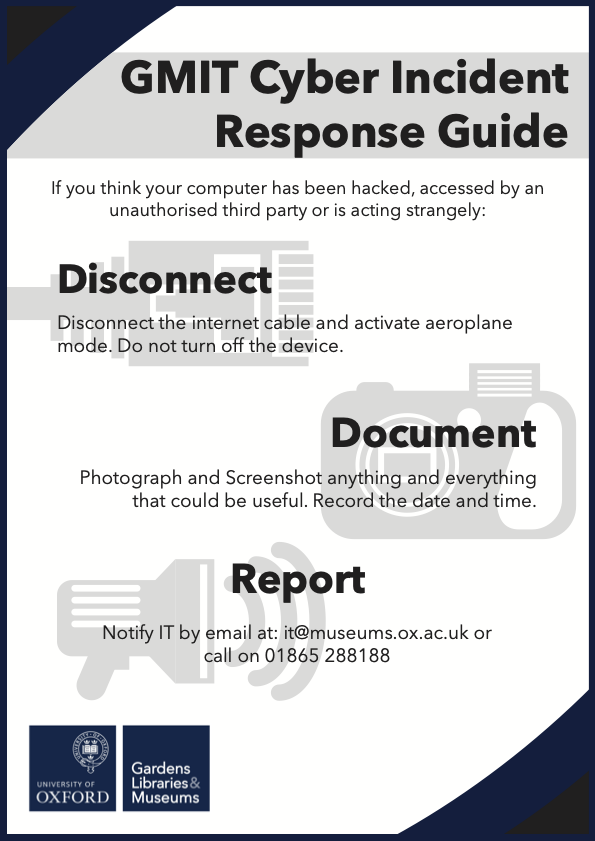
Reporting any Information or Cyber Security concern is extremely important, particularly if you believe that an account, system, or data may have been compromised.
Prompt reporting will enable us, and the University Information Securityteams to respond and guide as required.
Please direct any Information or Cyber Security concerns, incidents, or queries to: it@museums.ox.ac.uk.